Once upon a time when I was at school - admittedly back in the last century - we were given lessons in woodwork and metalwork as part of the standard curriculum. It was a time when, as a nation, we were still expecting to make real things so a grounding in some hands on skills seemed logical, in fact rather more so than a teaching of Latin was to an introduction to modern European languages.
While the knowledge of how to make a perfect dovetail joint may not have transferred directly into the twenty first century, one piece of wisdom has travelled with me apart from the painfully learnt sense to keep fingers away from a sharp chisel. It was the aphorism measure twice, cut once. Though the practical example may not be so widely relevant, the lesson is still applicable - be careful before you commit to something that can’t be undone.
In some ways it’s even more appropriate in a world of instant decisions when your finger hovers between save and delete and you face the dilemma of a message that reads do you want to keep changes?. You really want to ask the computer to tell you some options but it doesn’t give you that choice. If you have a decision that cannot be undone, it’s important to double check.
In terms of digital imaging, if you are the creator, then it is not so much of an issue as you have the option of saving a copy of the original, or a version that retains editing capabilities. With files supplied by customers however, that is quite rare and for a number of reasons.
In early days of digital photography we all made similar mistakes because we didn’t know any better, and because the software and hardware was nowhere near as sophisticated. Often better quality originals were thoughtlessly discarded for poorly edited, much reduced lookalikes. Even though cameras back then were often 3Mp or little more, which seems primitive nowadays, they were still capable of capture in decent lighting an image that could be printed.
But image transfer by whatever means was very much space restricted so there was a priority to compromise quality with size. The effect of compression on digital files was barely understood - even Adobe thought the PDF would be the magic bullet to solve the problem of combining lots of individual items into a coherent format. Now we know it is not that simple and a directive to simply save as a PDF is by no means a perfect answer.
Having recently moved I had an opportunity to dust down some old boxes of CDs and DVDs -remember them? We used to store everything on them thinking they were a permanent archival record. Half of them no longer spin up, the other half have content that is barely usable.
Working professionally and progressing through this digital chronology you naturally absorb all the many thousands of things that can go wrong, including all the ones you are responsible for. That is in the nature of human learning by example. The most important lesson is that nothing, in digital terms, is real until you make it. That’s why many people say that print is the real proof of reality.
The arrival of the camera phone changed everything, and much more profoundly than we could have predicted, because you no longer had to produce a hard copy to exchange an image - you could capture it and share it all on the one device. There were even those who speculated that printing itself was finished.
Certainly a number of outlets were made redundant - picture based mini labs were no longer on every street corner. But we are still here as a service industry even though major changes have taken place in how we actually serve the needs of customers.
One of the things that contributed to change was the ability of users not just to take photos, but also to edit them, putting simple software in the hands of the general public as well as instant photography. Although Photoshop was often still used as a generic term for electronic manipulation, it was more often freeware like Gimp that was the tool of choice.
A cost free option has obvious advantages, but of course the downside is often a limited range of capabilities unless an additional purchase is made. A short free trial period may be available, but hardly ever long enough to get to understand all the potential or exploit it. So we have another new word ‘Freemium’ which is modern speak for the old adage pay your money and make your choice, or words to that effect.
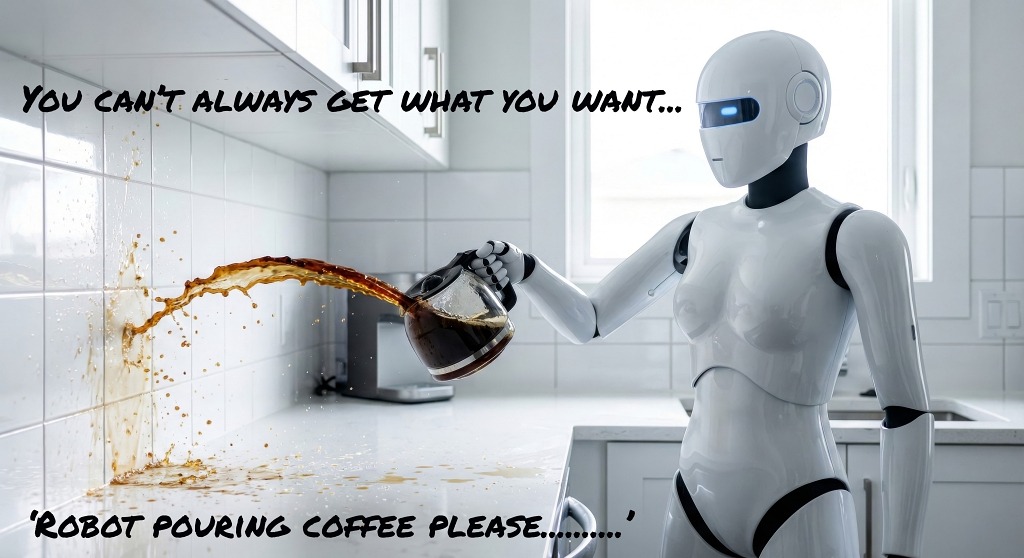
It should be obvious that the whole point of a basic editing tool is that it should be simple and not need a steep learning curve, or previous knowledge, as the likely users are looking for a quick fix - a little bit of magic - not a major adventure. But if life experience teaches us anything it is that there are rarely any shortcuts. Doing any job properly will require some skill and judgment. That’s why so many widely promoted easy edit options are using artificial intelligence to do the complicated stuff, and why it is so tempting to be able to press just one button and make it happen.
The problem that arrived with the mobile phone is the very screen an image is viewed on which while convenient for the pocket is hardly ideal to view detail when it goes to much more than A4 in size. You can enlarge and scroll, but you lose perspective, and small details are easily missed. Those small details, when enlarged, may be major howlers, and if not spotted could result in some awkward conversations about who was ultimately responsible - the visually limited creator or the one who committed it to print without checking first.
Even on a large screen you can have an optical blind spot when you are too familiar with the same view, or in too much haste to complete the task that you trip over something that should be perfectly obvious. I can offer no better example than one of Adobe’s own internet gurus who posted an update on PS April updates without taking a second look, or better getting a colleague to check with a fresh pair of eyes. We know that from proof reading days - the human eye still beats spell check every time.
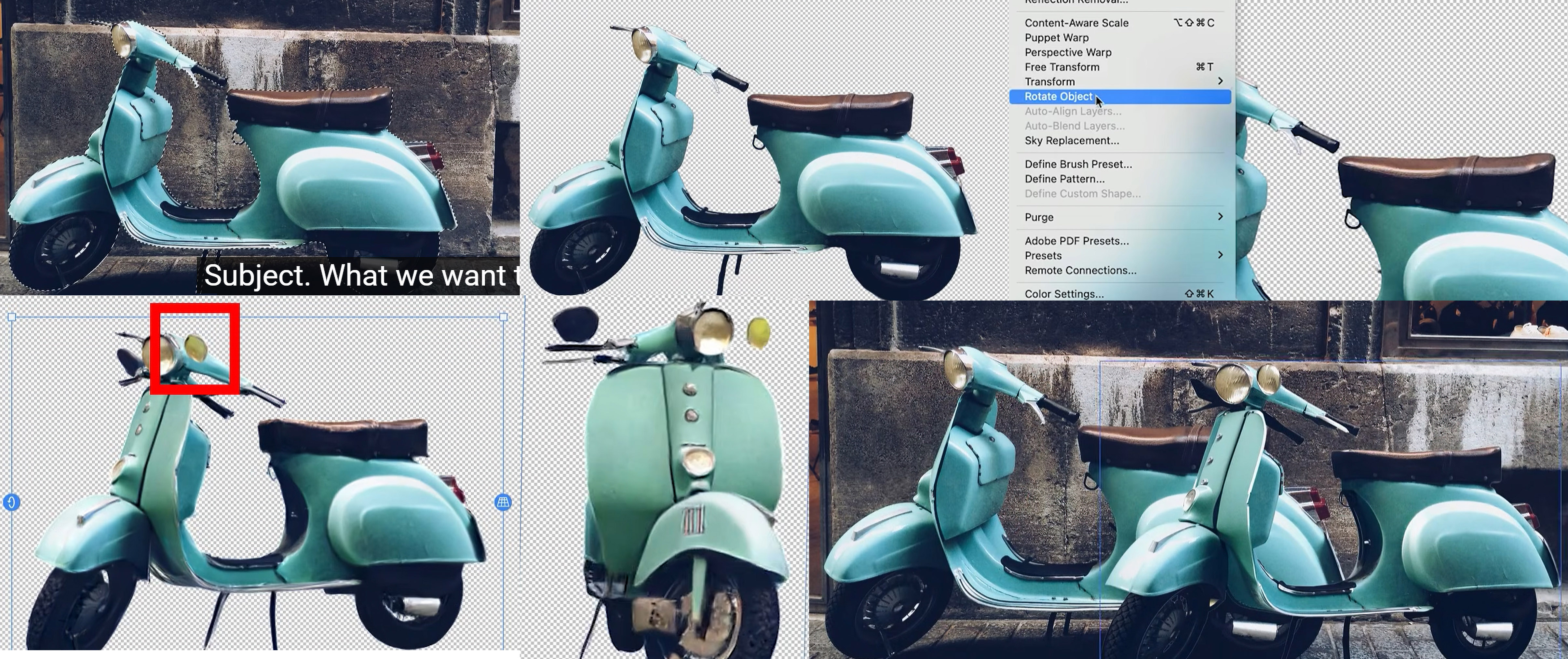
I shall spare his blushes by not naming the culprit but it confirms my insistence in not relying entirely on computer calculations. We already know that selection tools have become extremely precise and can save lots of time compared to previous manual methods, as well as create perfectly seamless composites. Adobe has taken this a step further using AI to generate a virtual 3D rendering so that an object can be rotated entirely to produce detail not in the original, but projected from it. We’ve come a big leap from just using the perspective or warp tool to make a logo wrap round a mug. Now we are letting the computer do the creation.
Unfortunately, as you can see in the sequence, in recreating a new version of the scooter AI - entirely unprompted- has identified and inserted a couple of items and placed them where it thinks they ought to be. Top marks for creative thinking but a big zero for accuracy. In fact the more you look, the more anomalies you can spot. Not just the extra headlamp and mirror but even the mudguard isn’t quite straight. The difference is that we know what a scooter should look like if we do a walk around. The computer is not exactly guessing, but more speculating based on a relatively limited bank of knowledge of scooters.
There is a very definite relationship between the complication of a piece of software, and the possibility that things will go wrong. While the whole point of machine learning is to remove the chance of human error, that very choice leads to other unexpected possibilities. At the same time, a more simple option is unlikely to provide results of sufficient quality because despite the marketing hyperbole, digital imaging cannot be made easy. And that’s not me making a case for job retention, it’s just that if you want to go the easy way, you better check the results very carefully.
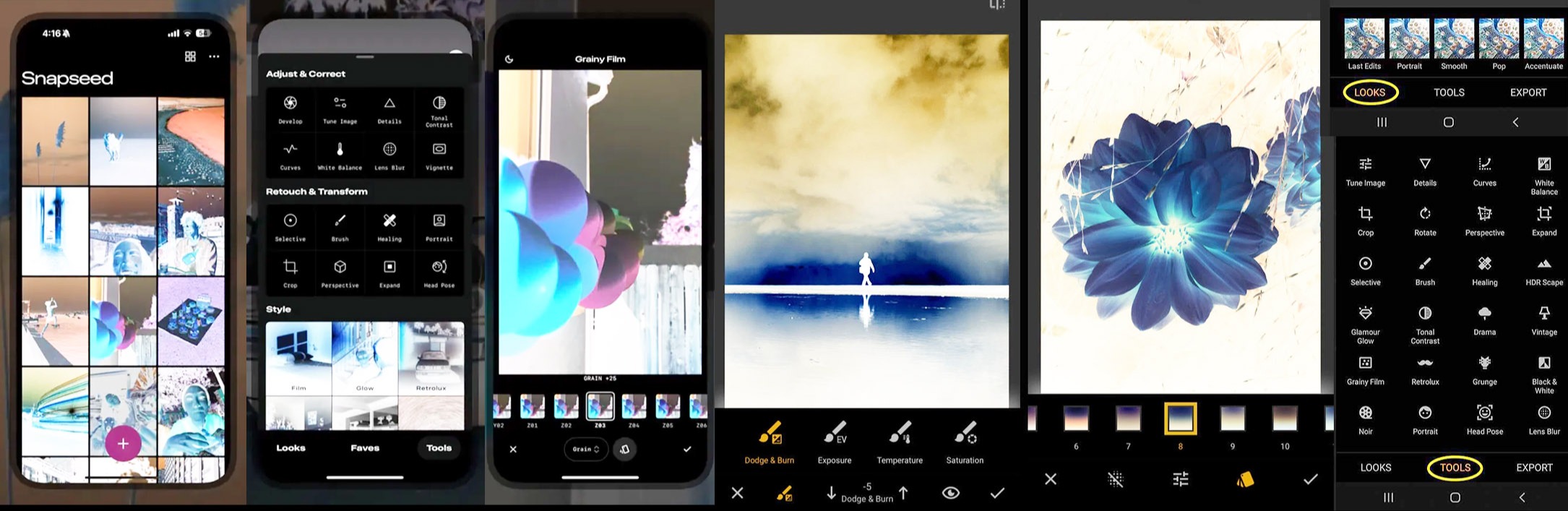
Google has now entered the free software game, or rather re-entered it with a new and much updated version of Snapseed. This came out way back in 2011, shortly after camera phones were introduced and became popular and was a quite intuitive and user friendly app developed by a small but smart Californian company. Google snapped it up as much to prevent anyone else doing anything with it and then sat on it as they really weren’t sure what to do with it. Would it stay simple or venture into more innovative territory? Inevitably it played safe and did nothing.
Ironically it sold off the most creative part of the package, Nik, to Paris based DXO which has gone on to make it one of the most highly regarded professional editing tools available. Selling the goose that laid a golden egg comes to mind but that’s the way tech giants tend to work. Now it wants to take over the instant imaging world with a re-launched app that hosts a whole load of features and a new interface that brings it right up to date with the competition. And to be fair it is pretty good, and it is mostly free as long as you don’t want all of the trick features in the box.
The only problem, and why it is relevant here, is that the user is still just working on a phone. There is no desktop version - well why would you need one? I hope the answer is obvious for those of us who have to turn the output into print, and as I think I have illustrated here. But no doubt the new Google image app will be very popular because of the number of users, but whether they will be able to exploit all the confusing edit options available on screen is another matter. Personally I think it all looks too busy for careful consideration but then I’m no longer a teenager.
Also making a new push in image editing is Apple who are bringing back Aperture after a long break, due to be launched this very month. Like several sources, Apple appear to be making a direct attack on Adobe dominance of the professional and academic market, perhaps smelling blood from recent predictions of its imminent downfall.
I’ve previously mentioned Canva which has a very good alternative to Photoshop and Lightroom in the free version of Affinity. That also has the bonus of a design and vector option that will stand in for InDesign and Illustrator. Latest contender in the ‘PS killer’ category is DaVinci who are well established in videography as a credible alternative to Adobe Premier or Final Cut.
Its new photo editing option however falls a long way short of an alternative in capabilities and with the disadvantage that it uses an interface that will be alien to anyone with a still photography background.
As we always stress, other software is available but look before you leap!
.jpg)