Martin Christie examines whether AI tools are replacing genuine digital editing skills. He argues that while artificial intelligence offers
fast, superficial fixes, a firm grasp of traditional Photoshop techniques remains essential for delivering high-quality, print-ready results.
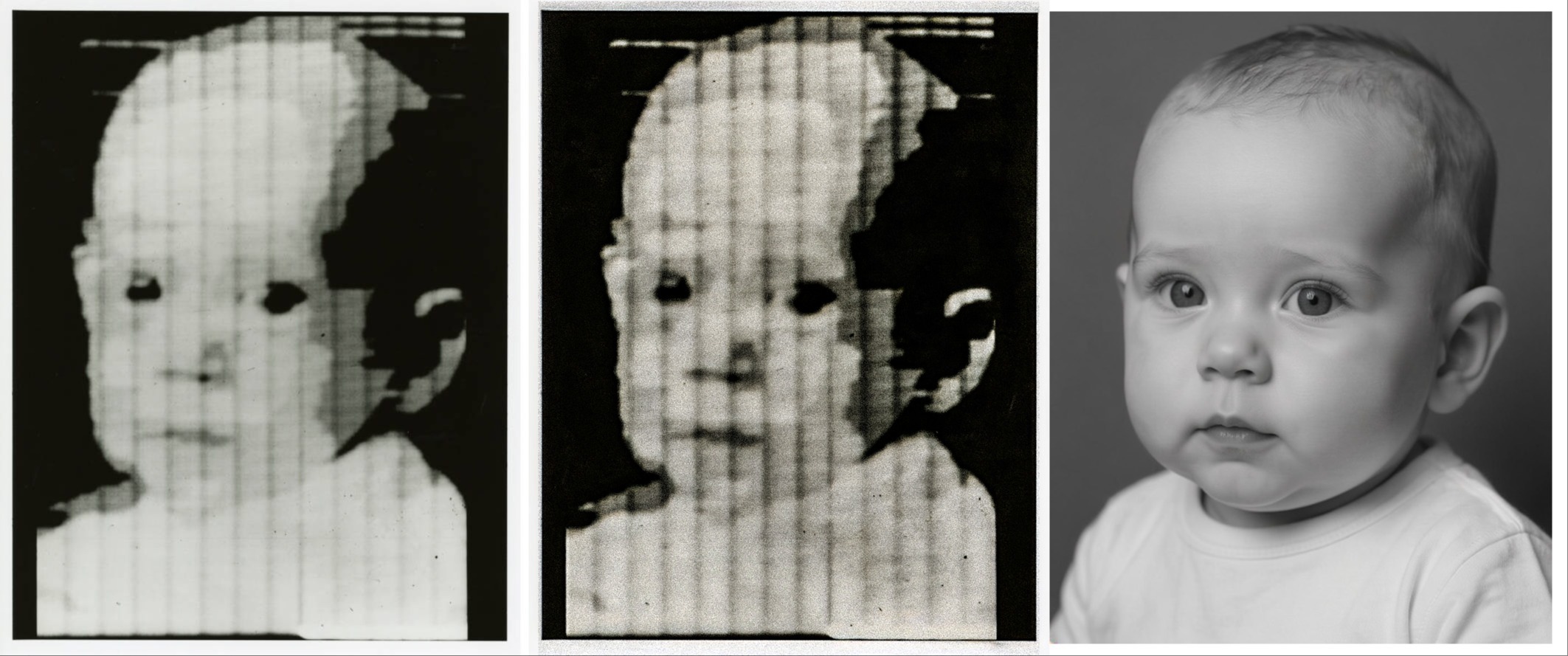
You probably wouldn’t recognise the face of Walden Kirsch, especially from an extremely pixel poor image created by his father Russell back in 1957, not from a camera but from a scanner. It may not look like much but it was the start of a revolution that continues to this day, because it was, at just 5 cm and 176 pixels square, the world’s first digital image. Russell was a computer boffin who wanted his machine to read and realised that if it could see text it wasn’t such a huge technical leap to copy a picture. And although it may seem a giant step from there to where we are today, bear in mind it has taken the same length of time as the Wright Brothers maiden flight to the first man on the moon, and has had as man spinoffs as powered flight too.
It took a while for the technology to be transferred to copy shops and replace analogue machines, and a while longer for it to become portable and used in photography. Progress was limited to processing power and speed, memory storage - all the issues that remain with us to this day until a further revolution reinvents the computer.
That giant leap was supposed to be the Quantum computer which promised a gigantic increase in performance, but which seems to have been overshadowed by the race to develop artificial intelligence. Conventional computing uses the same binary system of zeros and ones Kirsch used in his first digital picture. By the magic of physics quantum processing uses units that can be both at the same time making all current hardware and software redundant and increasing processing power exponentially. The two should be compatible, in fact mutually beneficial, but I can’t help wondering if more resources were pushed toward the quantum department whether we would still need all the data centres we are told are vital to progress even though they consume massive resources. But then what do I know.
My curiosity came about during our summer break when I was asked, as a photographer, whether I thought digital editing as a skill was being made obsolete by AI and whether photography itself was in danger when so many images could be created artificially. It’s a topical issue, and one also raised with artists and designers alike at this time. Personally I find it a new challenge, much as digital imaging was itself for me back in the day, and I have actually spent more time recently honing my Photoshop skills with exiting tools rather than embracing more of the quick fix solutions AI provides.
If I was a young student, straight out of college trying to learn the trade, however, I don’t think I would be so sanguine. When speed and cost are of a premium, even if they are incompatible, a learning curve is a luxury that I might not be able to afford. Adobe themselves have done the profession no favours by the inclusion of Chat GPT as one of their partners, as well as making PS available to users within Chat GPT. The plug in also includes Acrobat and Adobe Express so it’s also quite a comprehensive design package that will suffice most needs.
So why bother learning a lengthy process in digital editing when a machine can do all the thinking and creativity for you? Well as I have argued from the beginning, and as I learned from film, it’s important to understand how the image is captured and transformed. That’s just as important for those of us working in print today as it was working in the darkroom back in the day. There was a direct proportion of time spent perfecting a capture compared to time spent correcting it.
If there’s a problem with an image I’ve taken I need to understand any issue or mistake I have made in order to learn and correct it. Working with customer files you need to do a bit of a Sherlock Holmes and second guess not just the obvious problem but the underlying one in order to get a result. People who do crosswords get used to the thought train of their creators and are able to anticipate a clue because of that familiarity. Understanding how AI creates is much more of a challenge as it is drawing on examples from an entire global resource and may take unexpected inspiration.
Instead of a methodical approach patiently reconstructing an image piece by piece, the Chat GPT formula is more of a magic wand than a box of tools.
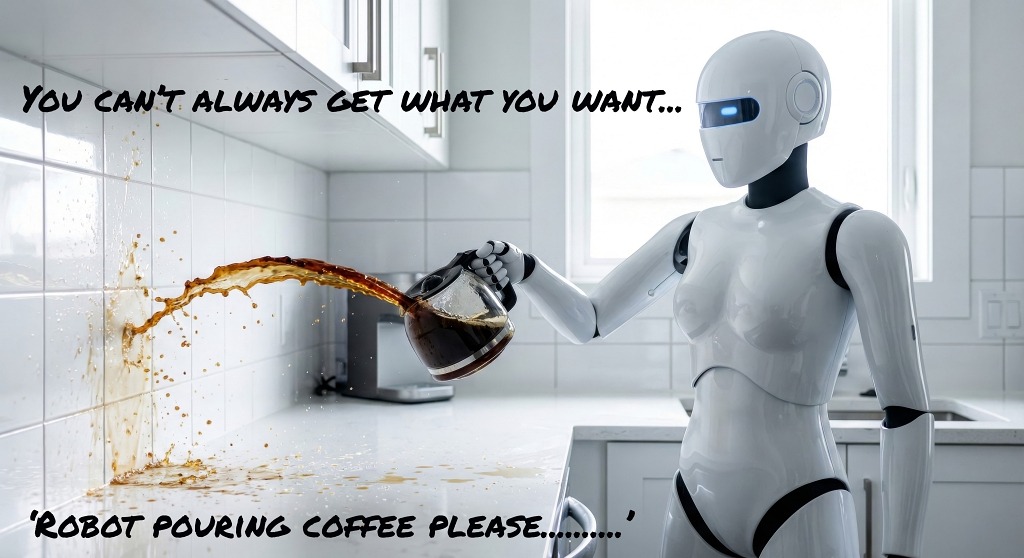
Abracadabra, clap your hands and it is done with no more than a prompt, quickly and conveniently, even if isn’t entirely what you expected. The catch, of course, is that you haven’t actually learnt anything other than perhaps be more precise in your requests. Be careful what you wish for. And when text is replaced by verbal instructions stand by for even more hilarious results lost in translation.
Well for me I will be content to plod on with exploring ‘old fashioned’ editing in PS even if Adobe itself seems intent on making it irrelevant. So much progress has been made understanding pixels since 1957, and much more remains to be explored. In fact in plunging straight into AI assist options, it’s easy to overlook features that have been there all along.
There are a number of straightforward tasks we encounter daily preparing an image for print where experience will be more useful - at least until AI is able to absorb colour profiles, printer settings and paper qualities in its calculations. Those are all manual settings at the final stage, but preflight changes can also be made in advance using adjustment layers and intelligent masks for example to correct hues and density which will transfer from screen to print.
But there are many more that can dramatically improve an image, and therefore its value, or just speed up workflow by knowing when and how to use the tools available.
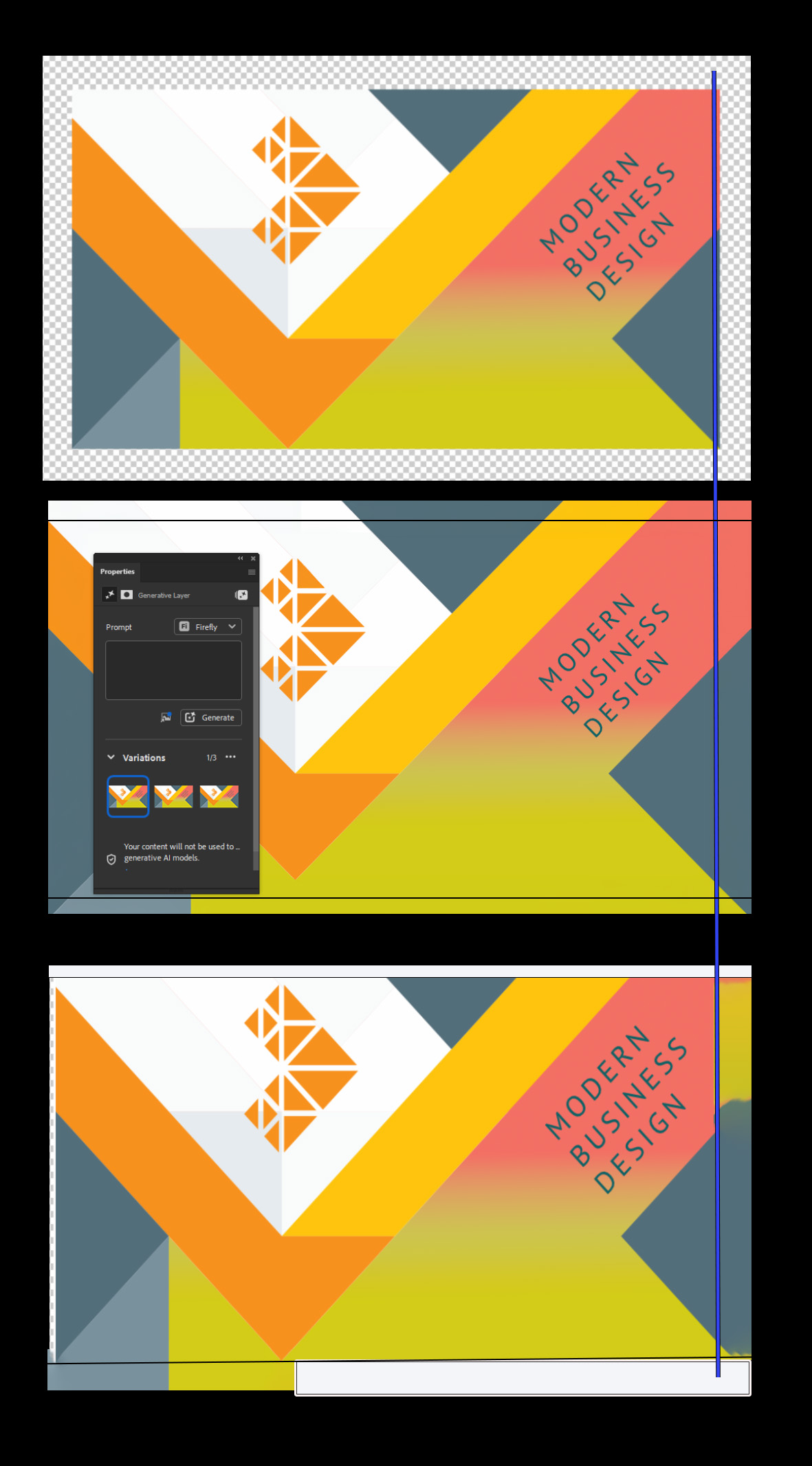
A good example is just adding bleed. Almost everything needs it. Sometimes it’s a simple single colour which can be filled. But if it has mixed images and background it is more complex. Content aware was a big help, but that often means patiently working around all four sides and still needing to use healing and blending tools especially if there’s a gradient hidden in the background - the sort of buried treasure often difficult to spot on the screen. The answer is to use generative fill instead. It will use just one of those pesky credits but may save a lot of time and produce perfect, seamless results.
Similarly you can use Gen fill if you have to reshape an image by cropping and rotating it to fit leaving awkward transparent gaps. Once again it will probably do a better job than messing around with content aware or the clone tool - but do check the results!
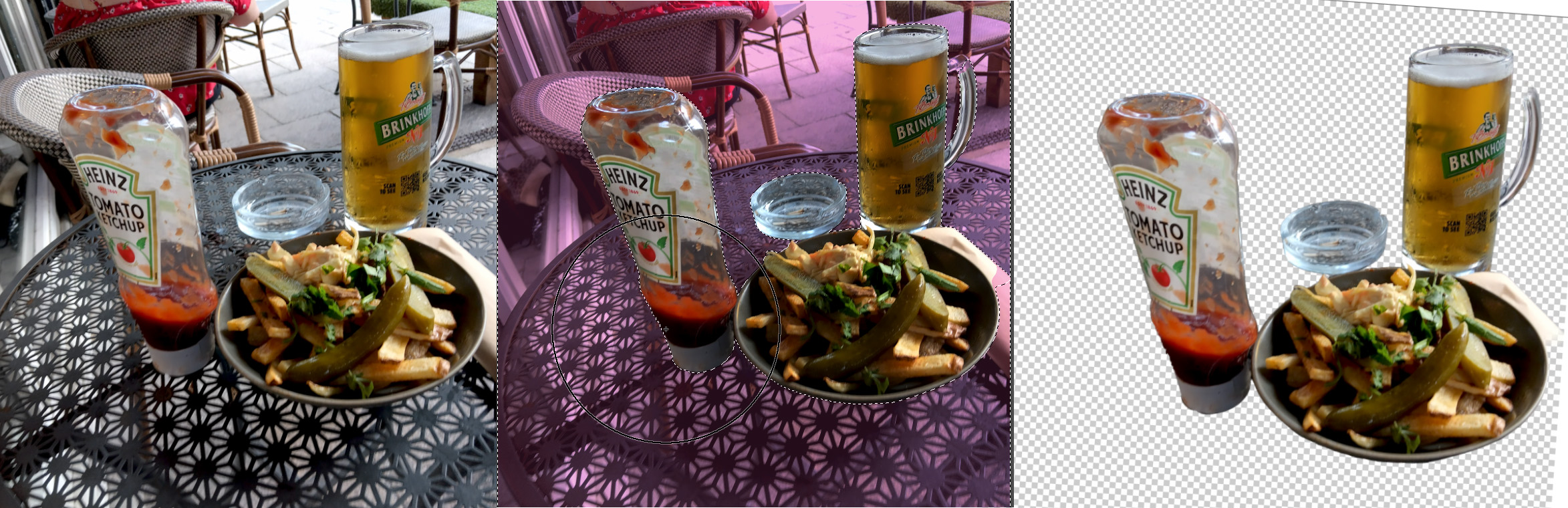
The new Remove tool is both powerful and adaptable, and doesn’t eat up any credits as it’s using pixels that already exist in the image. It works a bit like the control panel in Content Aware in that you can select the parts you want to sample from - or rather the parts you don’t want to sample from. Select the items you want to keep, invert the selection and simply wipe out the rest with the removal brush. Simple, and effective.
That’s one of the more obvious tools introduced in recent updates but there are many more that don’t feature in the headlines that may be really useful. One is the Mixer Brush which you can use as an alternative to the Healing Brush or the Clone Stamp to blend colours. It works a little like the standard painting brush, and is best applied to a new layer so that you can adjust the opacity and therefore the effect over the underlying image. As the name implies, it reacts with the previous colour much like mixing paint to give more realistic coverage and texture.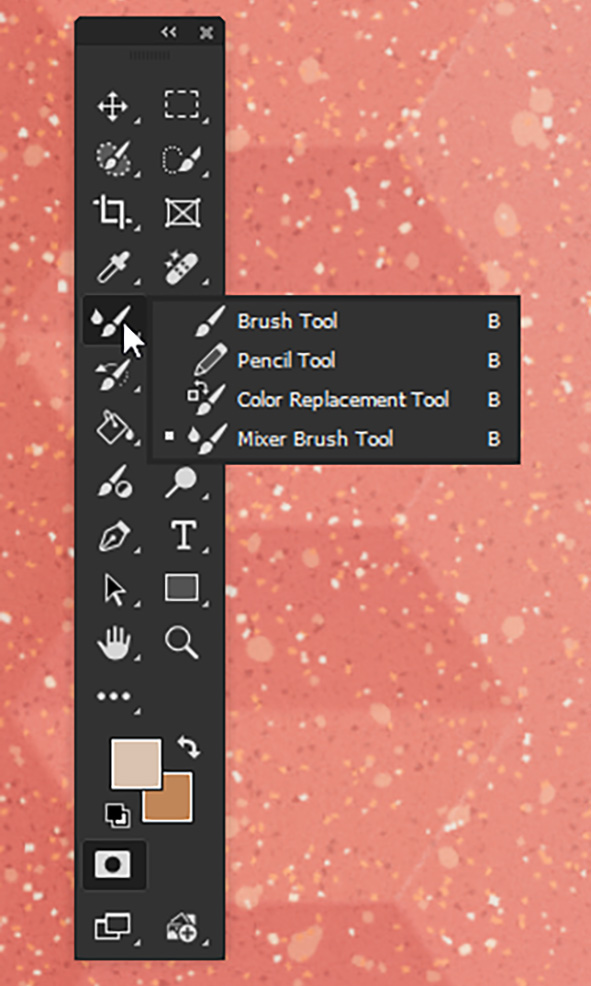
If you can’t find it in the brushes section of the toolbar, just do a reset to default it should appear.
Talking of texture there are a load of possibilities to add it to flat colour that have lurking in the Filter Gallery in PS for years, some now dated compared to modern graphics but they can be modified and added to if applied correctly. In addition there are also Patterns and Materials to be found in the Window column that give a wide range of surfaces to use as an underlay or overlay.
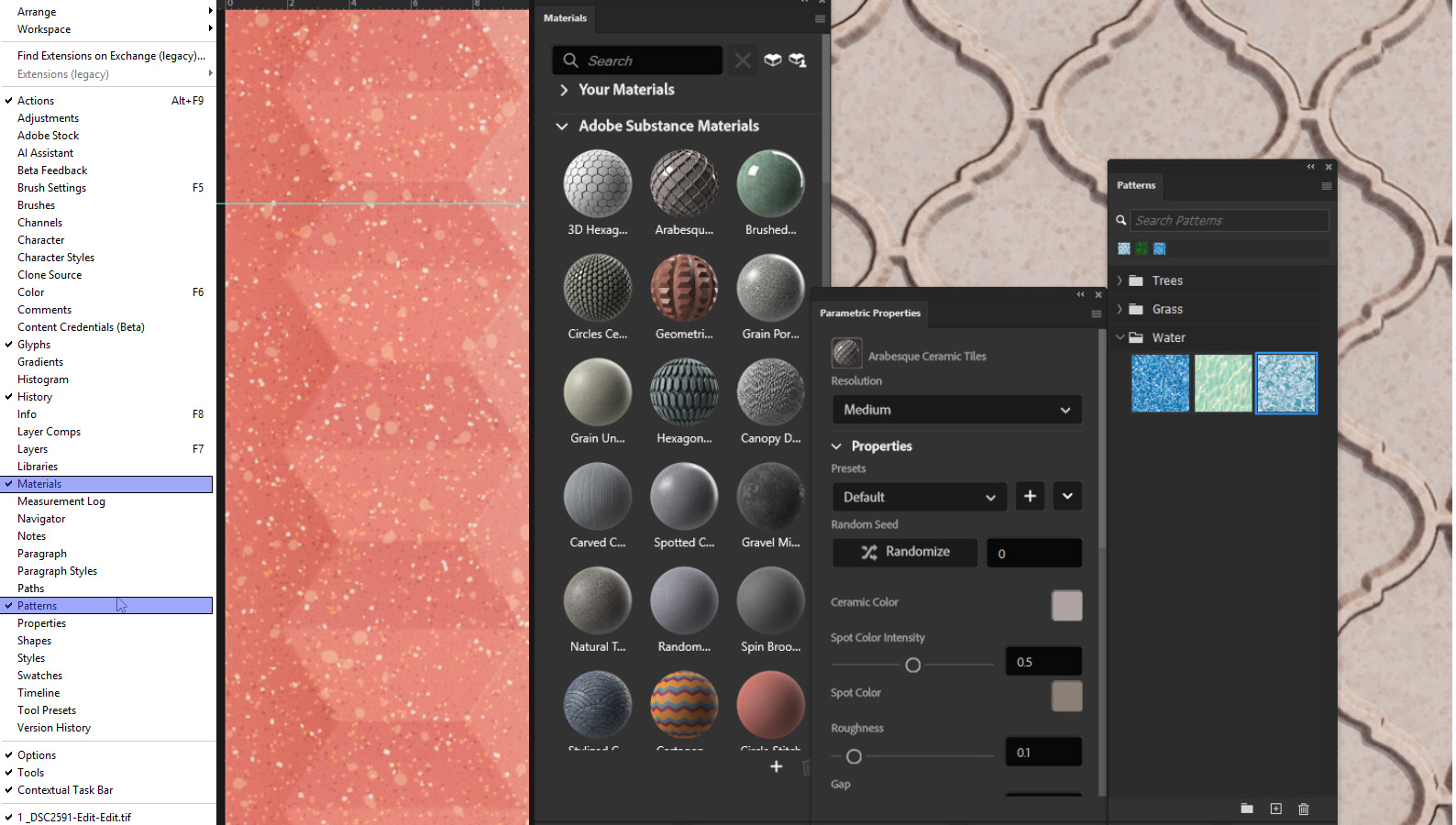
And of course, you can always source your own from a picture or scan.
One of the advantages of a more manual application of filters and layers is the fine control that makes the result realistic rather than anything that is AI generated. The latter is so widely used now, especially on social media, that it is becoming boring and formulaic rather than being actually creative. Once upon a time Microsoft introduced a basic ‘artistic’ text form called Word Art which everyone used for signage when it was a novelty. It didn’t take too long to become an embarrassment and disappear from sight along with an annoying paper clip that wanted to help you when you least needed it!
Nowadays we have all these AI assistants which want to read our minds and anticipate our actions, read out mail and write our replies. It may be a handy crutch to lean on, but there’s a lot to be said from reading something twice to check the exact meaning, and
looking twice to spot all those hilarious image accidents which are humorous but hardly professional.
For someone working on a phone screen it may be difficult to spot that granny has six fingers on one hand, but it will be rather obvious on an A1 print, just not quite so amusing.
It’s a lot harder to correct an image that has been doctored by AI, either because of low resolution or just because the process had just obliterated information you need to work with. It’s the opposite of the question - can’t you do something on the computer because the damage has already been done.
It’s frustrating because with almost any device, digital photography, even in the most amateurish hands, is potentially very capable. But when the output is left to chance more than design all of that technology is squandered. If the disaster is only going to linger on a phone roll, never to be found again, it’s not a problem, but if it ends up at your print shop it certainly is.
Anyway next month more of the common sense and less of the magic in Photoshop.
.jpg)